Beauty makeup look
Skeleton Makeup
Apply elegant skeletal makeup to an existing portrait while keeping skin texture and facial identity. Includes the prompt and editing limits.
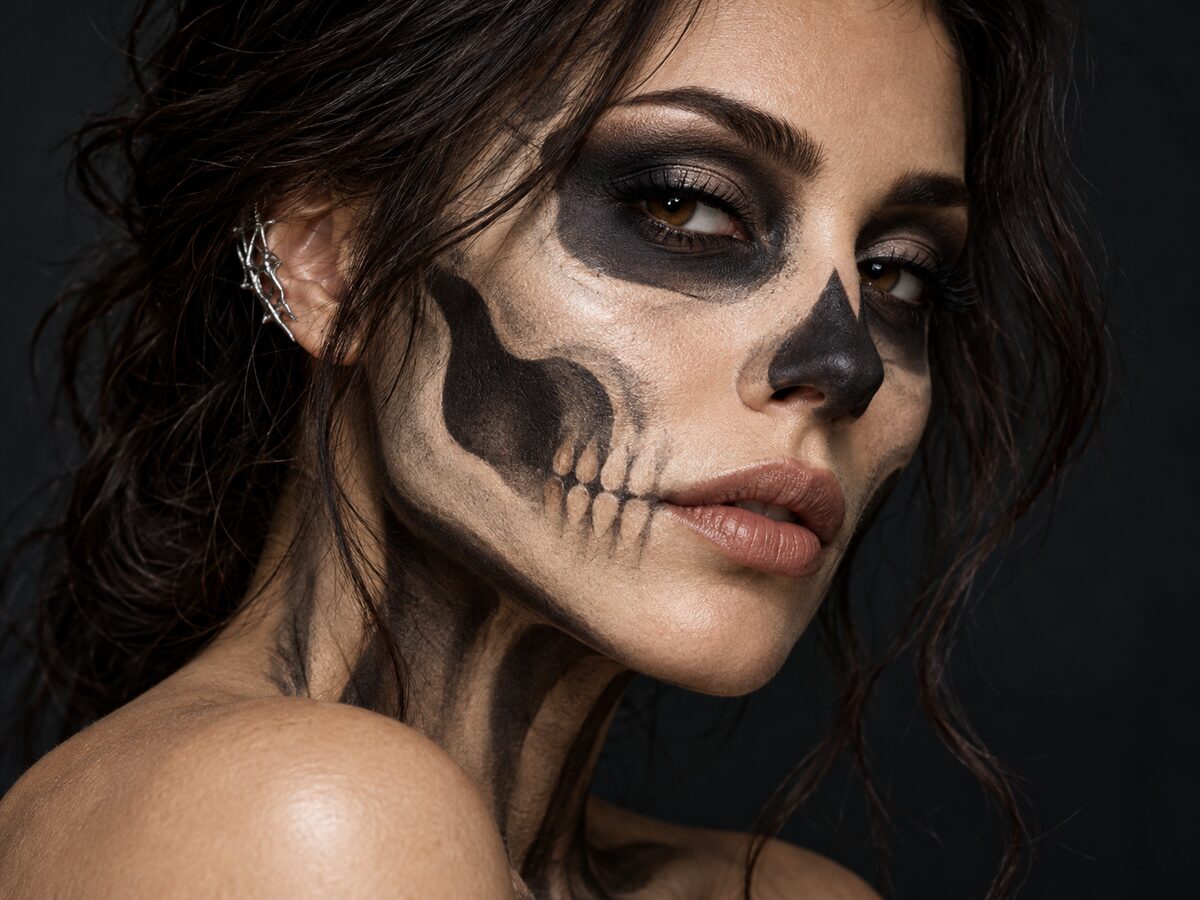
Skeleton makeup is a test of restraint. A full skull painted over the face hides the person; a few black lines around the eyes look like a smudge. The strongest version uses the bone structure as a guide and keeps the skin, lips and expression human.
This is a close-up beauty edit, not a horror effect. The prompt traces cheekbones and jaw, keeps the eyes soft and leaves the natural skin texture visible. It works best on a front-facing portrait with even light.
What changes
Makeup: black and ivory lines that follow the cheekbones, jaw and nose.
Eyes: soft smoky shadow instead of hollow black sockets.
Skin: natural texture and tone remain visible under the paint.
Light: soft directional studio light with a dark background.
Prompt recipe
This is model input, so it stays in English. Change the wardrobe, scene and light lines; keep the identity and anatomy lines.
Use the uploaded portrait as the primary reference. Preserve the subject's recognizable face, facial proportions, skin texture, eye color and expression. Apply elegant skeletal makeup: thin black and ivory lines tracing the cheekbones, jaw and nose bridge, soft smoky eyes and natural lips. Keep the skin human and readable, not a painted skull mask. Add a small silver ear cuff. Use a dark studio background, soft directional beauty light and editorial close-up photography with realistic skin detail. Keep the same number of people as the uploaded photo. Avoid altered facial identity, extra limbs, duplicated fingers, distorted anatomy, text, logos and watermarks.
Negative prompt
Full skull mask, hollow black eyes, gore, blood, zombie skin, plastic face, cartoon, extra people, distorted teeth, text, logo, watermark.
Image-to-video prompt
Use the provided image as the exact starting frame. Five-second beauty portrait: the subject blinks once, turns slightly toward the camera, the silver ear cuff catches the light, one very slow push-in. Keep the makeup pattern and skin texture consistent. Maintain realistic motion, stable anatomy and consistent lighting. Do not change identity, replace the costume, add characters or introduce sudden scene cuts. No text or watermarks.
Try it in the browser
The generator below is already set to the right mode and prompt. Upload a photo, check the cost, then generate.
How to get a clean result
Start with a beauty portrait
Use a front-facing photo with visible skin texture and no heavy makeup. The edit needs facial structure to follow.
Keep the sockets human
Ask for soft smoky eyes, not hollow sockets. The moment the eyes go black, the portrait becomes a mask.
Check the teeth and jaw
Skeletal lines near the mouth can turn into distorted teeth. Remove the mouth lines if the result looks uncanny.
Best for
- A close-up Halloween beauty photo
- A makeup test before a party
- A profile or story image with a subtle horror theme
- A character reference for a short video
Limits to plan around
- The model does not apply real makeup or guarantee a tutorial-accurate pattern.
- Extreme close-ups can expose texture artifacts around the eyes and lips.
- Gore and graphic horror are outside the acceptable use policy.
- A low-resolution source photo limits how fine the lines can be.
Questions
Can I use this on a photo with glasses?
Yes, but reflections and frames can break the eye makeup. Try a photo without glasses first, then add them back if needed.
Why does the makeup look like a mask?
The prompt is probably asking for a full skull. Keep the skin visible and describe thin lines that follow the bone structure.
Can I make it more colorful?
Yes. Replace ivory with a metallic color, but keep the black line work and the natural skin base.
Is this suitable for a professional headshot?
It is a costume edit, not a neutral headshot. Use a separate photo for professional profiles.
Generate this look
The generator below is already set to the right mode and prompt. Upload a photo, check the cost, then generate.