Animate the still
AI Halloween Video Generator
Turn a Halloween portrait into a five-second cinematic clip with a slow turn, drifting fog and stable identity. Prompt recipe and limits included.
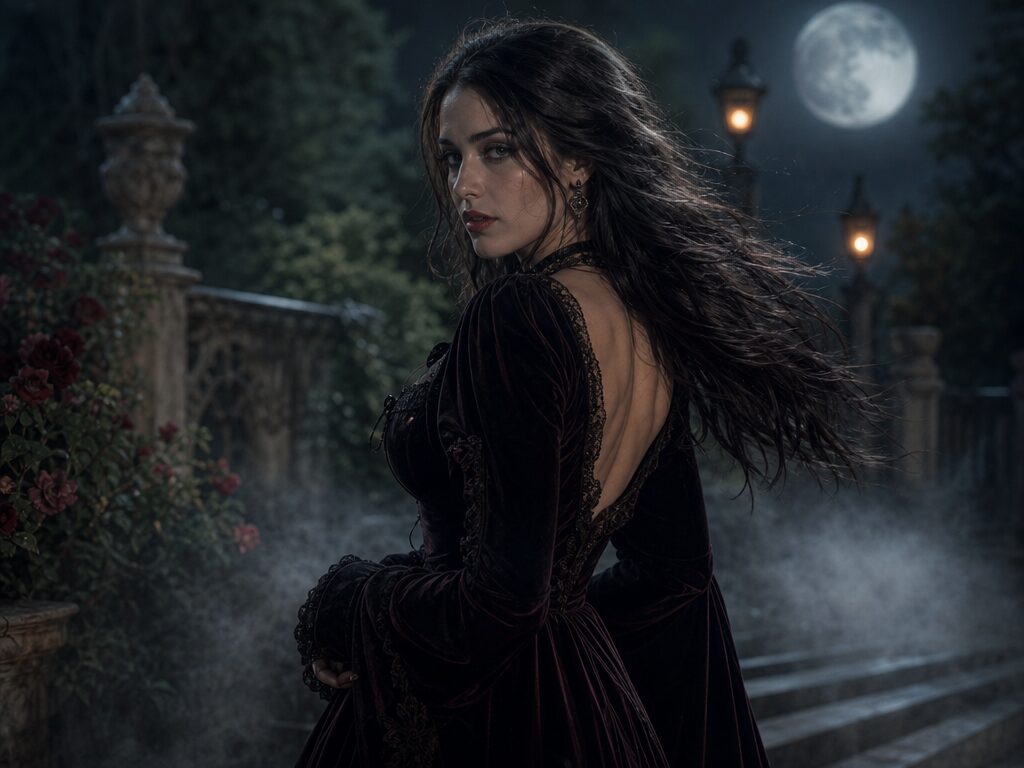
A good Halloween video starts with a good still. If the costume, face and light already read in the image, the video model only has to add motion. If the still is ambiguous, animation will amplify the problem: hands multiply, jewelry melts and the face drifts.
The safest first clip is deliberately small. A slow head turn, a breeze in the fabric, drifting fog and a gentle push-in give the model fewer things to coordinate than a dance or a fight. Generate the still first, then animate it with the prompt below.
What changes
Motion: a slow head turn toward the camera instead of a full-body action.
Atmosphere: fog drifts through the garden and loose hair moves in a light breeze.
Camera: one smooth push-in, with no cuts or orbit.
Identity: the face, costume and body proportions stay anchored to the still.
Prompt recipe
This is model input, so it stays in English. Change the wardrobe, scene and light lines; keep the identity and anatomy lines.
Use the uploaded Halloween portrait as the exact visual reference and starting composition. Create a continuous five-second cinematic portrait animation. The subject slowly turns their head toward the camera with a subtle mysterious expression. A gentle breeze moves loose hair strands and the edges of the costume. Soft fog drifts through the moonlit garden. The camera performs one slow, smooth push-in. Maintain realistic motion, stable anatomy and consistent lighting. Maintain realistic motion, stable anatomy and consistent lighting. Do not change identity, replace the costume, add characters or introduce sudden scene cuts. No text or watermarks.
Negative prompt
Fast movement, dancing, walking, camera orbit, scene cut, extra people, changing costume, morphing face, extra fingers, distorted hands, flicker, text, logo, watermark.
Image-to-video prompt
Five-second cinematic Halloween portrait. Slow head turn toward camera, gentle breeze in hair and fabric, drifting fog, one smooth push-in, stable identity, realistic anatomy, consistent warm and cool lighting. No cuts, no extra characters, no text.
Try it in the browser
The generator below is already set to the right mode and prompt. Upload a photo, check the cost, then generate.
How to get a clean result
Lock the still first
Generate or upload a portrait you would use without motion. Check the hands, hairline and costume edges before animating.
Ask for one movement
Pick a head turn, a blink or a small step. One primary action per five-second clip is easier to keep coherent.
Review the first and last second
Most drift happens at the ends. If the face changes, shorten the motion or re-anchor with the same still.
Best for
- A looping Halloween story post
- A short costume reveal for TikTok or Reels
- Testing a look before a longer shoot
- Adding motion to a pet or couple portrait
Limits to plan around
- Five seconds is a clip, not a scene; build longer sequences from several shots.
- Fast choreography and complex hand actions are fragile.
- The model cannot invent a new camera angle that was not in the still.
- Audio is not generated by this workflow; add sound in an editor.
Questions
How long should the first Halloween clip be?
Start with five seconds and one action. Short clips are easier to review, cheaper to re-run and less likely to drift.
Can I animate a photo I did not generate here?
Yes. Upload a portrait you have the rights to use. The motion prompt works with any well-lit still.
Why does the face change during the clip?
The model has less identity information as the head turns. Keep the turn slow, avoid profile angles and re-anchor with the original still if the drift is too large.
Can I add audio?
This workflow produces silent video. Add music, voice or sound effects in a video editor after download.
Generate this look
The generator below is already set to the right mode and prompt. Upload a photo, check the cost, then generate.