Pet night look
Glow in the Dark Dinosaur Pet
Create a glow-in-the-dark dinosaur pet portrait, then animate a tail flick and soft neon glow. Prompt, negative prompt and video step.
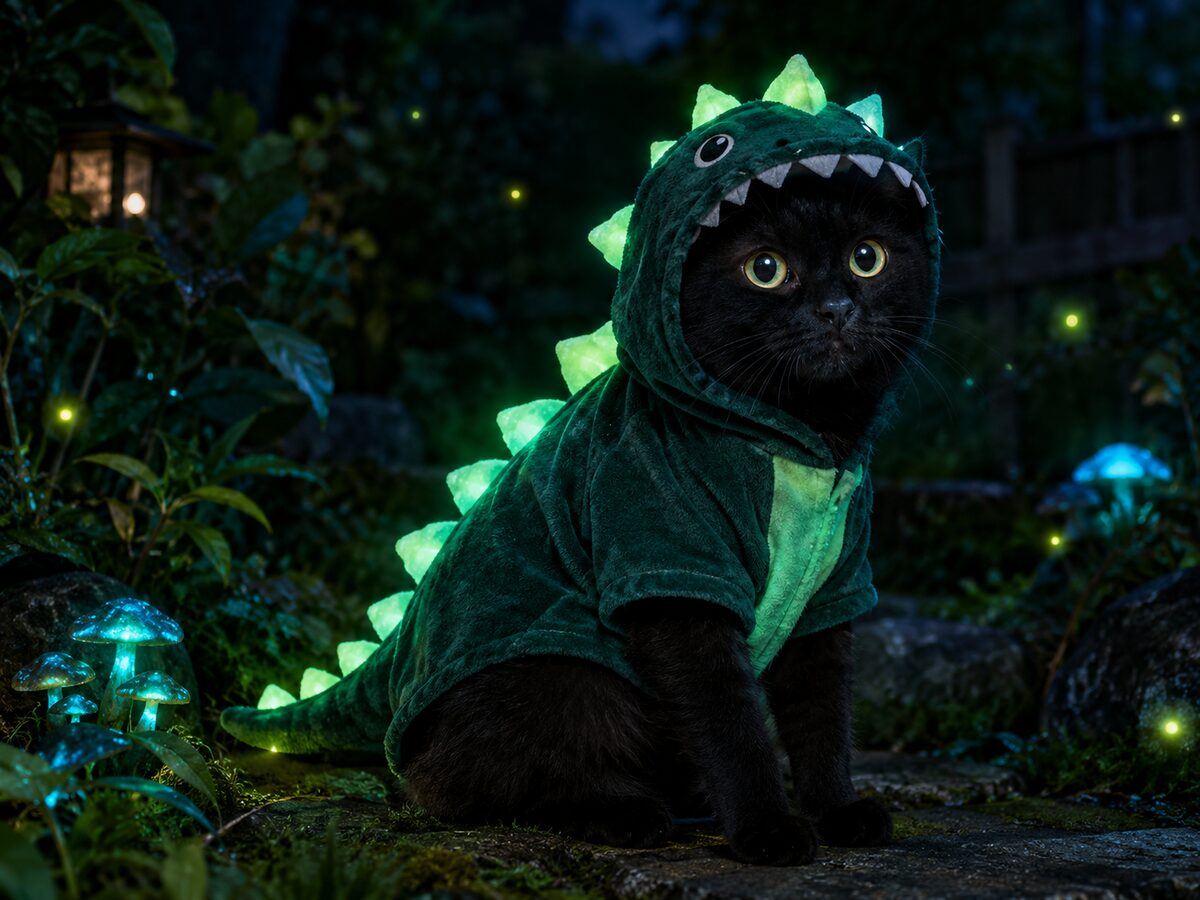
Glow effects are easy to overdo. If the whole animal is neon, the fur disappears. If the light comes from nowhere, the portrait looks like a sticker. The believable version keeps the pet lit by a soft key light and uses the costume spikes as the glowing accent.
This look is a night portrait with a dark garden, fireflies and a green-teal glow. It works for a cat or a small dog. The video prompt adds a tail flick and a slow pulse, which is enough motion for a five-second clip.
What changes
Costume: a glow-in-the-dark dinosaur suit with soft green spikes.
Setting: a dark garden at night with fireflies and deep foliage.
Light: a soft key light on the fur, with teal-green glow from the costume.
Motion: a tail flick and a gentle glow pulse in the video version.
Prompt recipe
This is model input, so it stays in English. Change the wardrobe, scene and light lines; keep the identity and anatomy lines.
Use the uploaded pet photo as the primary reference. Preserve the animal's breed, fur color, markings, eye color and natural anatomy. Dress the pet in a glow-in-the-dark dinosaur costume with soft green spikes and a fitted body. Place the pet in a dark garden at night with fireflies, deep foliage and a soft key light on the fur. The costume spikes emit a gentle teal-green glow, but the eyes and fur remain natural. Create a photorealistic cinematic pet portrait with realistic fur and fabric texture. Keep the same number of animals as the uploaded photo. Avoid extra animals, extra paws, duplicated limbs, changed breed, changed markings, text, logos and watermarks.
Negative prompt
Neon whole body, glowing eyes, extra animals, extra paws, changed breed, cartoon, plastic fur, text, logo, watermark.
Image-to-video prompt
Use the provided image as the exact starting frame. Five-second pet night clip: the pet flicks its tail once, the costume spikes pulse gently, fireflies drift, the camera pushes in slowly. Keep the breed, fur, markings and costume consistent. Maintain realistic motion, stable anatomy and consistent lighting. Do not change identity, replace the costume, add characters or introduce sudden scene cuts. No text or watermarks.
Try it in the browser
The generator below is already set to the right mode and prompt. Upload a photo, check the cost, then generate.
How to get a clean result
Keep the fur lit
Ask for a soft key light on the animal. The glow should come from the costume, not from the whole scene.
Use one glow color
Green or teal is enough. Multiple neon colors make the fur and eyes look artificial.
Animate one small action
A tail flick or a blink is easier to keep coherent than walking or jumping.
Best for
- A pet Halloween portrait with a night mood
- A short pet video for social media
- A costume idea for a black cat or dark-furred dog
- A group set with a neon theme
Limits to plan around
- The model does not guarantee a real glow-in-the-dark material.
- Black fur can merge into a dark background without a key light.
- Fast pet movement is difficult to keep anatomically stable.
- The costume is a visual concept, not a real safety-tested product.
Questions
Will the glow cover the whole pet?
Only if you ask for it. This prompt keeps the glow on the costume spikes and uses a separate soft light for the fur.
Can I use a dog instead of a cat?
Yes. Keep the breed and markings lines, and adjust the costume shape for the dog's body.
Can I make the glow blue or purple?
Yes. Replace teal-green with another color, but keep the single-color rule and the separate key light.
Can I animate it?
Yes. Use a tail flick, a blink and a slow glow pulse. Keep the camera move small.
Generate this look
The generator below is already set to the right mode and prompt. Upload a photo, check the cost, then generate.