Liminal horror look
Backrooms Style AI Video
Generate an eerie liminal hallway still, then animate a slow push-in with flickering lights. Prompt recipe and safety notes for horror video.
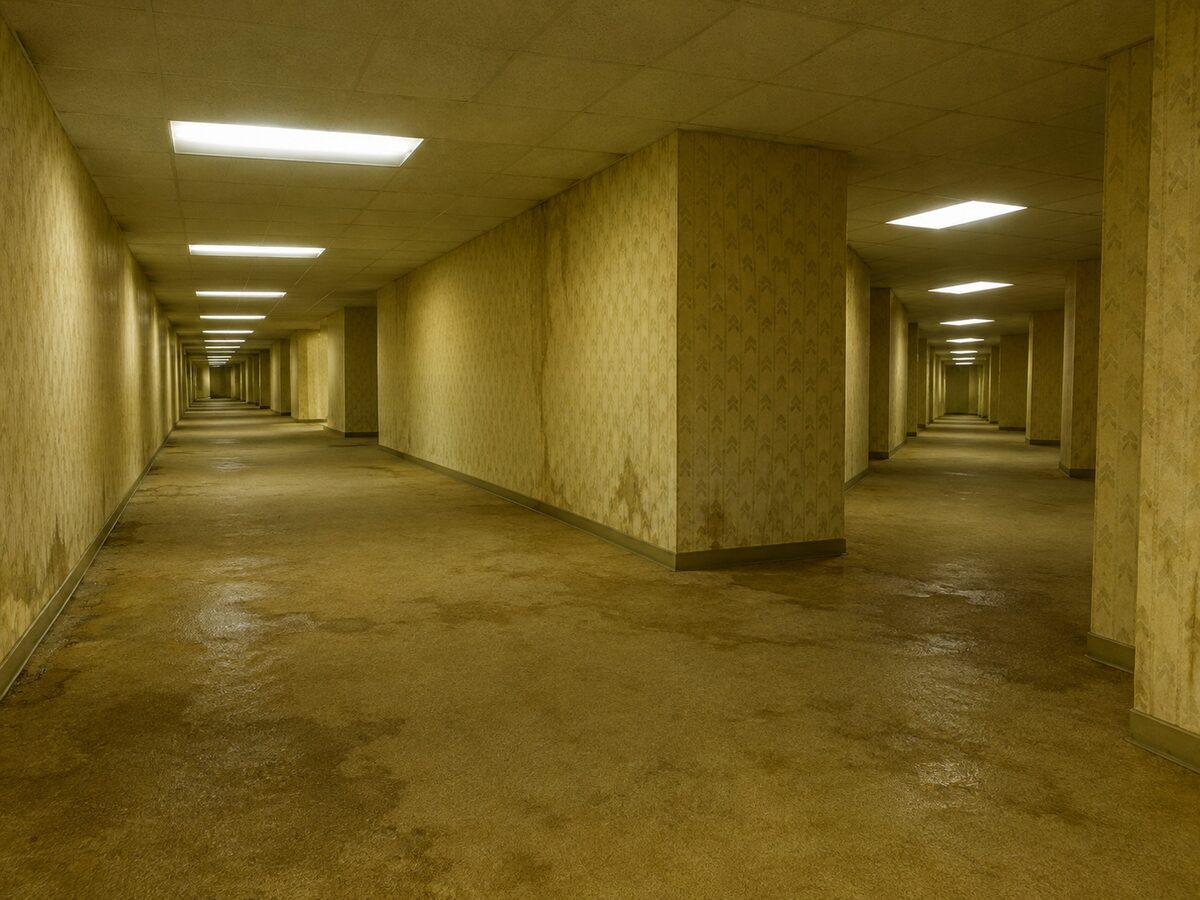
Liminal horror does not need a monster. It needs a place that should be familiar and is slightly wrong: a hallway with no doors, lights that buzz at the wrong pitch, carpet that looks damp. The camera should feel like it is intruding, not like it is touring.
This workflow starts with a still because the composition matters more than the motion. Once the hallway reads as empty and endless, a slow push-in and a light flicker are enough. There is no gore, no jump scare and no named film location.
What changes
Space: an endless yellow-beige office hallway with wrong geometry and no people.
Texture: damp carpet, stained wallpaper and scuffed baseboards.
Light: buzzing fluorescent panels with one unstable tube.
Motion: a slow push-in and a single flicker, with no cuts.
Prompt recipe
This is model input, so it stays in English. Change the wardrobe, scene and light lines; keep the identity and anatomy lines.
Create an original liminal horror interior: an endless yellow-beige office hallway with damp carpet, stained wallpaper, scuffed baseboards and buzzing fluorescent ceiling lights. No people. The geometry should feel slightly wrong, with a corridor that seems longer than it should be. Use a cinematic wide angle, realistic textures, a cold fluorescent color cast and an unsettling but not gory atmosphere. No text, no logos, no watermarks, and do not reference a specific film or game location.
Negative prompt
People, monster, gore, blood, jump scare, cartoon, text, logo, watermark, named film location.
Image-to-video prompt
Use the provided image as the exact starting frame. Five-second liminal hallway clip: the camera pushes in very slowly, one fluorescent tube flickers once, dust drifts through the light, the far end of the corridor stays ambiguous. No cuts, no people, no monster, no gore, no text or watermarks. Keep the geometry stable.
Try it in the browser
The generator below is already set to the right mode and prompt. Upload a photo, check the cost, then generate.
How to get a clean result
Build the empty frame
Generate the hallway as a still first. Check the vanishing point, the light rhythm and the carpet before adding motion.
Move the camera, not the room
A slow push-in is enough. Orbiting or walking turns the clip into a tour and breaks the liminal mood.
Use one instability
One flickering tube or one wrong corner is stronger than a room full of effects.
Best for
- A short liminal horror clip
- A moodboard or thumbnail for a horror story
- A first frame for a longer narrative edit
- Testing camera motion without a character
Limits to plan around
- The model may add a figure or a monster if the negative prompt is weak.
- Long corridors can warp at the far end during camera motion.
- Text on signs will be garbled; add it in an editor.
- This is an original liminal space, not a replica of a specific film or game level.
Questions
Do I need a character for a liminal horror clip?
No. An empty space with one wrong detail is often stronger. A character can be added in a later shot.
Can I make it scarier?
Lower the light, lengthen the corridor and slow the camera. Avoid gore and jump scares; the unease comes from the space.
Can I use this for a YouTube video?
Check the plan and the acceptable use policy. The clip is generated, so you are responsible for how you present it.
Why does the hallway warp?
Camera motion gives the model less stable geometry. Shorten the move, keep the camera centered and avoid a wide orbit.
Generate this look
The generator below is already set to the right mode and prompt. Upload a photo, check the cost, then generate.