Group photo look
Group Halloween Costume
Create a coordinated group Halloween portrait from several photos. Keep every face, body count and costume color consistent.
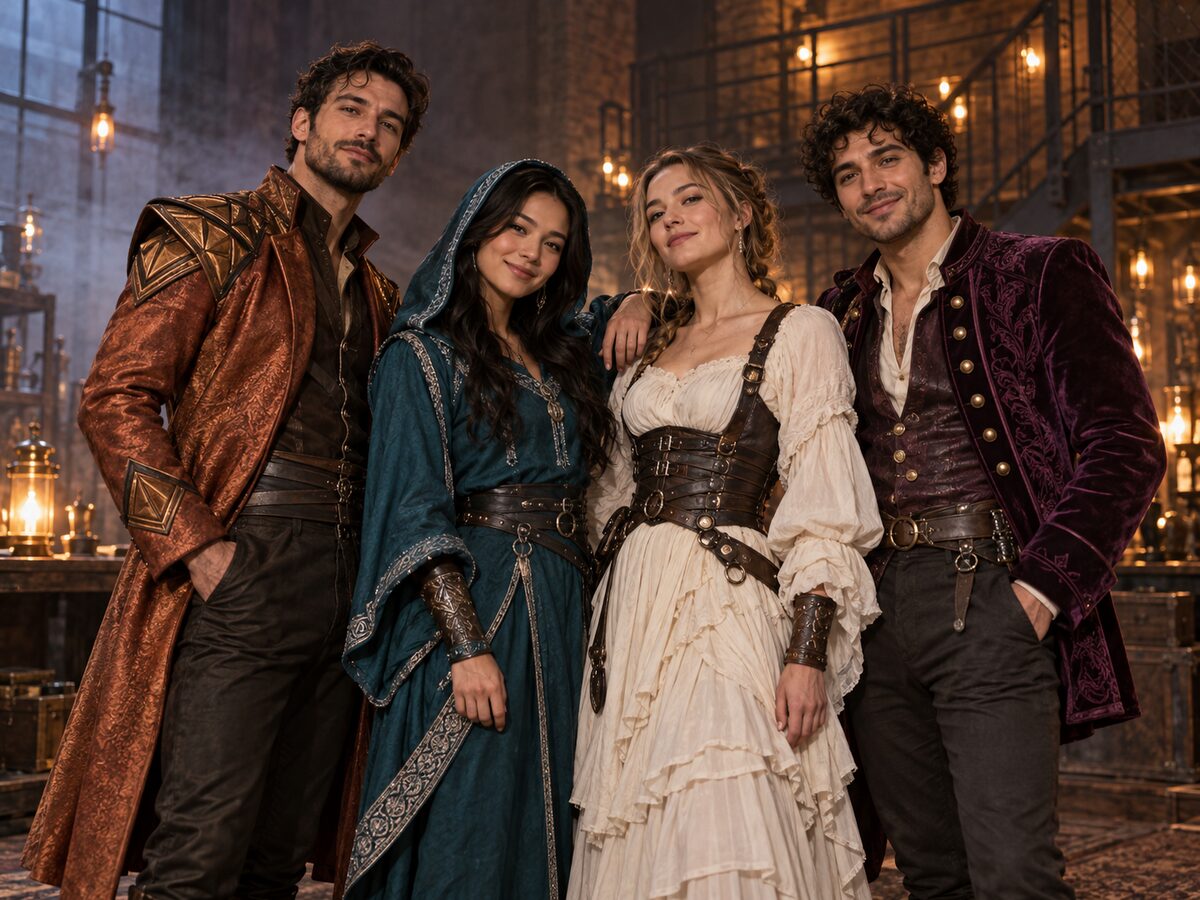
Group edits are the hardest identity problem. Four people mean four faces, four body shapes and a shared composition. A model that is good at one portrait can still merge two faces or add a fifth person in a group scene.
The practical approach is to keep the group small, give each person a distinct costume color and pose, and state the body count twice. This look uses original superhero-inspired costumes, not a licensed team, so the model has room to build a coherent group without copying a film.
What changes
Group: four adults in coordinated original superhero-inspired costumes.
Color: one clear accent per person so the model can tell them apart.
Setting: a moody industrial loft with fog and warm practical lights.
Identity: each face stays tied to its own reference photo.
Prompt recipe
This is model input, so it stays in English. Change the wardrobe, scene and light lines; keep the identity and anatomy lines.
Use the uploaded group photo as the primary reference. Preserve each person's recognizable face, skin tone, age and body proportions. Create an original group Halloween portrait with exactly four adults in coordinated superhero-inspired costumes: tailored capes, utility belts, masks pushed up and one distinct accent color per person. Keep the original body count and do not add a fifth person. Place the group in a moody industrial loft with fog and warm practical lights. Use photorealistic cinematic group photography, natural poses and realistic fabric. Keep the same number of people as the uploaded photo. Avoid altered facial identity, extra limbs, duplicated fingers, distorted anatomy, text, logos and watermarks.
Negative prompt
Fifth person, missing person, face swap, merged faces, extra limbs, extra fingers, identical costumes, cartoon, text, logo, watermark.
Image-to-video prompt
Use the provided image as the exact starting frame. Five-second group portrait: the group holds their poses while fog drifts and one practical light pulses softly, the camera pushes in very slightly. Keep exactly four people, their faces and their costume colors consistent. No cuts, no added characters, no text or watermarks.
Try it in the browser
The generator below is already set to the right mode and prompt. Upload a photo, check the cost, then generate.
How to get a clean result
Keep the group small
Four people is already a hard identity problem. Start with three or four and add more only after the first result holds.
Give each person a color
A distinct accent color and silhouette helps the model separate the faces. Avoid identical costumes.
Count the people twice
State the body count in the prompt and in the negative prompt. Check the final image for an extra person at the edges.
Best for
- A family or friend group Halloween card
- A coordinated costume concept for a party
- A group thumbnail or poster
- A first frame for a group video
Limits to plan around
- The model may struggle with more than four faces in one frame.
- Small faces reduce identity accuracy; a tighter crop helps.
- Identical costumes increase face mixing.
- Do not use a licensed superhero team or a real person's likeness without permission.
Questions
How many people can I put in one group edit?
Start with three or four. More faces make identity preservation and body-count control much harder.
Why did an extra person appear?
The model lost the body count. State "exactly four people" in the prompt and add "no fifth person" to the negative prompt.
Can I use separate photos for each person?
Yes, if the model supports multiple references. Keep the order consistent and describe each person's costume color.
Can I make the group video?
Yes, but keep the motion minimal. A group walk or dance is much harder to keep coherent than a still group pose with drifting fog.
Generate this look
The generator below is already set to the right mode and prompt. Upload a photo, check the cost, then generate.