Wearable sci-fi look
Halloween Robot Costume
Turn a selfie into a realistic wearable robot costume portrait with metallic panels and LED accents, without replacing the human face.
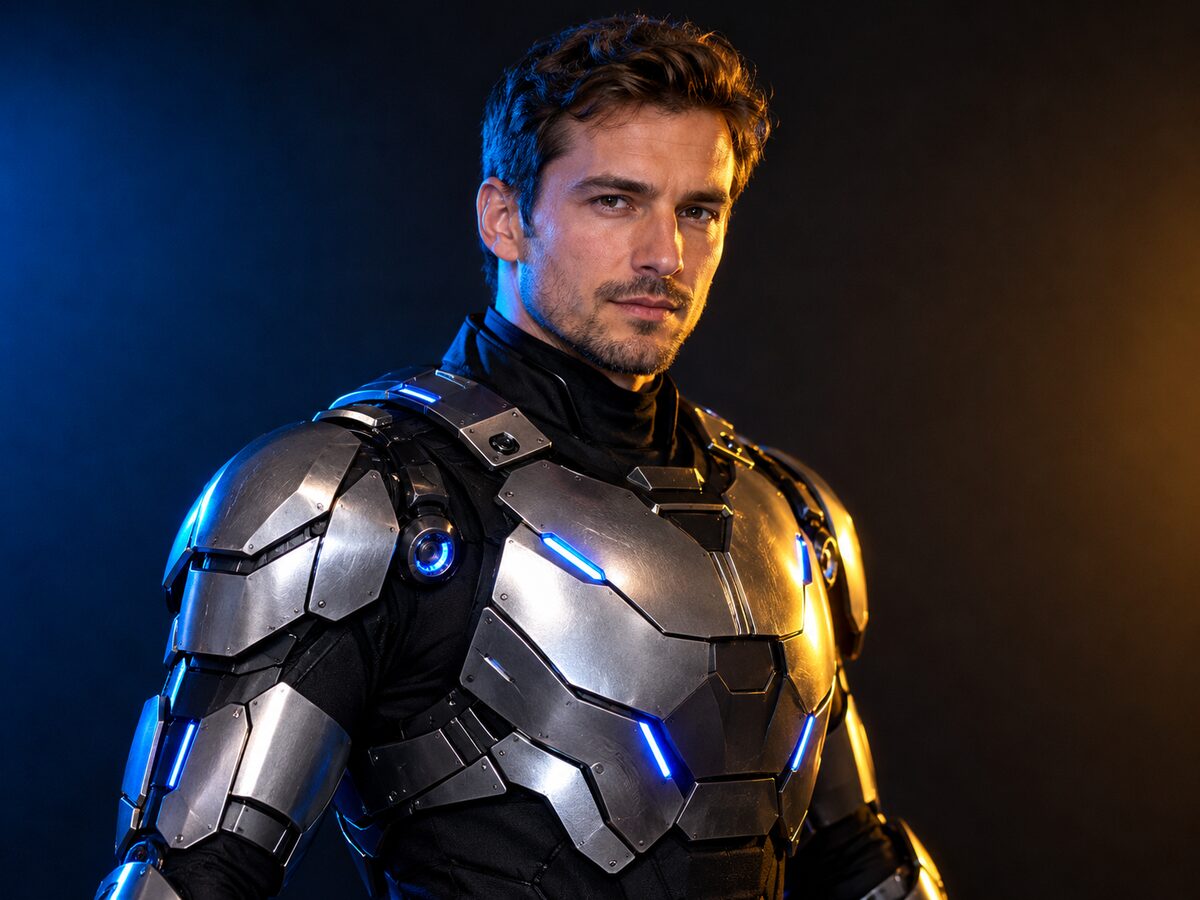
Robot costumes go wrong in two directions: a full CGI robot that no longer contains the person, or a cardboard box with no material detail. The sweet spot is a costume a real person could wear: armor panels over a bodysuit, visible seams, a human face and a few controlled lights.
This prompt keeps the face and pose, adds wearable panels and puts the light in a studio. It is a costume portrait, not a character transformation. That distinction is what keeps the result believable.
What changes
Wardrobe: brushed metal panels over a black bodysuit with articulated shoulder pieces.
Details: subtle blue LED accents and visible seams that read as a real costume.
Light: blue and warm amber studio lighting with realistic reflections.
Face: the human face, skin tone and head proportions stay visible.
Prompt recipe
This is model input, so it stays in English. Change the wardrobe, scene and light lines; keep the identity and anatomy lines.
Using the uploaded photo as reference, transform the subject into an original wearable Halloween robot costume portrait. Preserve the subject's recognizable face, skin tone, head proportions and original pose. Create a realistic costume with brushed metallic armor panels over a black bodysuit, subtle blue LED accents and articulated shoulder pieces. The outfit should look like a believable costume worn by a real person, not a completely new mechanical character. Use dramatic blue-and-amber cinematic studio lighting, a dark seamless background and realistic material reflections. Do not replace the subject's face with a robot head. Keep the same number of people as the uploaded photo. Avoid altered facial identity, extra limbs, duplicated fingers, distorted anatomy, text, logos and watermarks.
Negative prompt
Robot head, full CGI body, chrome skin, plastic toy, extra arms, extra fingers, distorted hands, text, logo, watermark.
Image-to-video prompt
Use the provided image as the exact starting frame. Five-second studio portrait: the LED accents pulse once, the subject turns their head slightly toward the camera, a small reflection moves across the shoulder armor, one slow push-in. Keep the face, costume panels and lighting consistent. Maintain realistic motion, stable anatomy and consistent lighting. Do not change identity, replace the costume, add characters or introduce sudden scene cuts. No text or watermarks.
Try it in the browser
The generator below is already set to the right mode and prompt. Upload a photo, check the cost, then generate.
How to get a clean result
Keep the human face
State explicitly that the face stays human. Without that line, the model often replaces the head with a helmet.
Describe seams and materials
Brushed metal, matte bodysuit and visible seams make the costume believable. Glossy chrome alone looks like CGI.
Use one light color
Blue LEDs plus warm key light are enough. More colors compete with the face and the metal reflections.
Best for
- A sci-fi Halloween costume preview
- A profile photo with a clean studio look
- A character concept for a short video
- A group set with a shared futuristic theme
Limits to plan around
- The model does not design a buildable costume or a real prop.
- Fine panel lines can melt at low resolution.
- A face turned away from the camera weakens identity preservation.
- Do not name a film robot or a trademarked armor design.
Questions
Will my face still be visible?
The prompt keeps the face human and visible. Check the eyes and jawline at full size; a helmet-like result usually means the face constraint was too weak.
Can I make the armor a different color?
Yes. Change the metal and LED colors, but keep the material and seam language so it still reads as a costume.
Can I use a full-body photo?
Yes. A full-body shot shows more of the costume, but the face becomes smaller and identity matching gets harder. Test a three-quarter crop first.
Is this a specific movie robot?
No. The design is an original wearable costume concept. Avoid naming a studio character or a trademarked armor design.
Generate this look
The generator below is already set to the right mode and prompt. Upload a photo, check the cost, then generate.